Español
 Français
 Русский
 العربية
 Türkçe
 English
 Português
 Deutsch
 italiano
 日本語
日本語 한국어
한국어 Nederlands
 Tiếng Việt
 ไทย
ไทย Polski
 አማርኛ
አማርኛ ພາສາລາວ
 ភាសាខ្មែរ
 Bahasa Melayu
 ဗမာစာ
ဗမာစာ தமிழ்
தமிழ் Filipino
 Bahasa Indonesia
 magyar
 Română
 Čeština
 Монгол
 қазақ
қазақ Српски
 हिन्दी
 فارسی
فارسی Kiswahili
 Slovenčina
 Slovenščina
 Norsk
Norsk Svenska
 українська
 Ελληνικά
 Suomi
Suomi Հայերեն
 עברית
עברית Latine
 Dansk
Dansk اردو
اردو Shqip
Shqip বাংলা
বাংলা Hrvatski
 Afrikaans
 Gaeilge
 Eesti keel
 Māori
MāoriViews: 0 Author: Site Editor Publish Time: 2026-02-17 Origin: Site
In the printing industry, flexographic printing presses—particularly the stack flexo printing machine—play a vital role in producing high-quality prints for packaging, labels, and various other materials. The stack flexo printing machine is renowned for its speed, precision, and versatility in handling different substrates and print jobs. However, like any piece of heavy machinery, proper maintenance is essential for ensuring optimal performance, minimizing downtime, and extending the lifespan of the equipment.
Regular maintenance not only ensures that your stack flexo printing machine operates efficiently but also improves print quality, reduces unexpected breakdowns, and lowers long-term repair costs. In this article, we will discuss the common maintenance tips for your stack flexo printing machine, including key areas to focus on and best practices to follow.
A stack flexo printing machine is a precision tool, and regular maintenance is critical for ensuring that all components, such as the anilox rollers, printing plates, impression cylinders, and drying systems, work optimally. When these components are maintained properly, you can expect:
Consistent print quality: Maintenance helps to ensure that ink transfer, color registration, and print alignment remain flawless.
Improved operational efficiency: Regular upkeep reduces the chances of machine breakdowns, meaning fewer disruptions to production.
Prolonged machine lifespan: Proper care prevents premature wear and tear, thus extending the overall life of your machine.
Cost savings: Preventative maintenance helps identify minor issues before they escalate into costly repairs.
A well-maintained stack flexo printing machine can deliver consistent results, improve productivity, and enhance your ROI.
Let’s break down some key areas that require regular attention and maintenance to ensure your stack flexo printing machine continues to perform at its best.
The anilox roller is one of the most critical components of a stack flexo printing machine. It plays a vital role in controlling ink distribution to the printing plate. Over time, the anilox roller can accumulate ink buildup, dust, or other contaminants that affect the quality of your prints. Proper maintenance ensures consistent ink transfer and uniformity in print results.
Maintenance Tips:
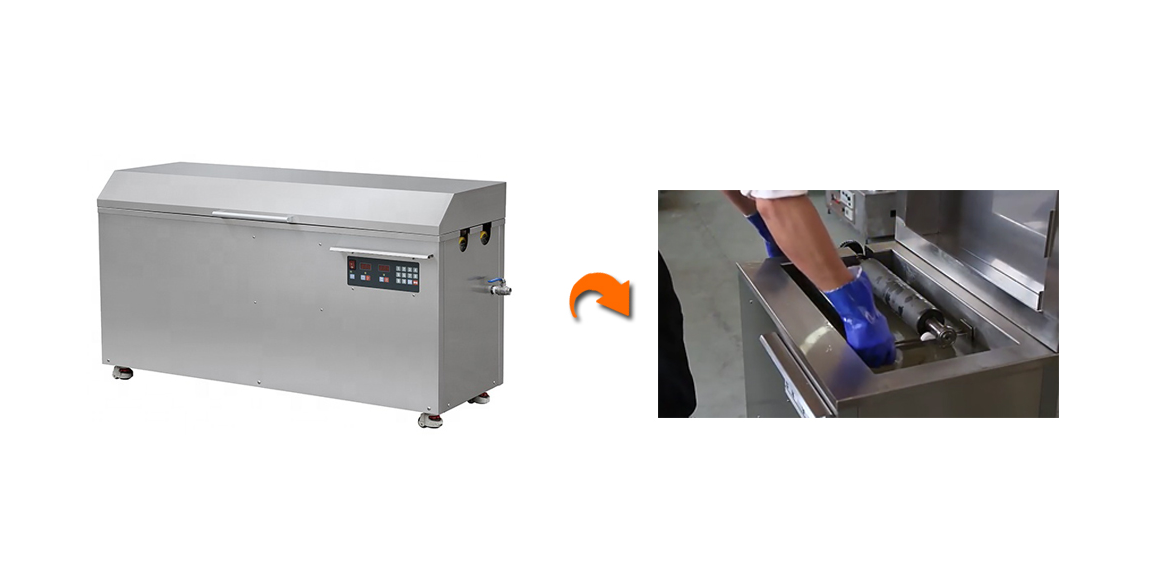
Regular Cleaning: Clean the anilox roller after each printing job to remove ink residue. Use a specialized anilox cleaning solution and soft brushes to avoid damaging the roller's surface.
Check for Damage: Inspect the roller for any signs of wear or damage, such as cracks, scratches, or clogged cells. If damaged, the roller should be replaced to maintain print quality.
Use Proper Ink: Ensure that the ink used is compatible with the anilox roller material. Using inappropriate ink can lead to excessive wear and tear.
Printing plates are essential for transferring ink to the substrate, and they require regular cleaning and maintenance to ensure high-quality prints. Over time, printing plates can become damaged due to improper cleaning or handling.
Maintenance Tips:
Proper Cleaning: Clean the printing plates after every print run to remove ink buildup and debris. Use non-abrasive cleaning agents and avoid using harsh chemicals that can damage the plate’s surface.
Avoid Overuse: Printing plates can wear out after many uses, especially if they are not cleaned or maintained correctly. Regularly inspect the plates for wear and replace them when necessary to ensure consistent quality.
Store Properly: When not in use, store printing plates in a clean, dry place. Avoid exposing them to extreme temperatures or direct sunlight, which could cause warping or other damage.
The impression cylinder is responsible for applying pressure between the printing plate and the substrate. Improper pressure settings can lead to print defects like poor color density or incomplete coverage. Maintaining the impression cylinders is essential for achieving uniform and high-quality prints.
Maintenance Tips:
Check Cylinder Alignment: Regularly check the alignment of the impression cylinders to ensure they are properly aligned with the print stations. Misalignment can lead to poor registration and inconsistent prints.
Adjust Pressure: Over-pressurizing or under-pressurizing the cylinders can negatively affect print quality. Regularly adjust the pressure to ensure optimal ink transfer and consistent print results.
Clean the Cylinders: Like the anilox rollers, the impression cylinders should be cleaned after each use. Use a soft cloth to wipe away excess ink and dust that may accumulate.
The drying system is essential for curing the ink and ensuring the printed material is ready for handling or further processing. In stack flexo printing machines, drying systems can include UV, infrared, or hot air drying. Over time, these systems can become clogged or inefficient, affecting drying times and print quality.
Maintenance Tips:
Regular Inspection: Check the drying system regularly for any signs of damage, wear, or dust accumulation. Clogged air vents or UV lamps can cause inconsistent drying and slow down the production process.
Clean the Drying System: Clean the UV lamps, air ducts, and infrared heaters to ensure optimal airflow and heat distribution. Build-up of ink residue can block airflow and impact drying efficiency.
Monitor Temperature and Humidity: Keep an eye on the temperature and humidity levels in the drying area. Too much moisture or excessive heat can affect ink curing, leading to defects.
The ink system in a stack flexo printing machine controls the flow of ink from the ink fountain to the printing plate. Proper ink system maintenance ensures that the correct ink amount is consistently applied during printing and prevents issues like ink spitting or poor ink adhesion.
Maintenance Tips:
Keep Ink Fountains Clean: Clean ink fountains regularly to prevent ink build-up and contamination. This will help to avoid ink splashes or inconsistencies in ink flow.
Monitor Ink Viscosity: Ink viscosity must be adjusted for optimal printing results. Too high or too low viscosity can affect print quality. Use viscosity meters to ensure proper ink consistency.
Check for Leaks: Inspect all ink lines, rollers, and pumps for leaks. Even small leaks can lead to excessive ink waste and poor print results.
Proper tension control is essential for ensuring uniform printing quality, especially when printing on flexible substrates like films and foils. Inconsistent tension can lead to print distortions, registration issues, or even tearing of the substrate.
Maintenance Tips:
Inspect Tension Mechanisms: Regularly check the tension controls and adjust them to maintain consistent pressure on the substrate. Ensure that the web tension remains balanced across the entire printing process.
Replace Tension Rollers: Worn-out tension rollers can cause irregular tension, leading to print defects. Check for any signs of wear and replace rollers as needed.
Routine calibration is essential for maintaining the performance and print quality of your stack flexo printing machine. Calibrating the machine ensures that all components work together in harmony, minimizing errors and maximizing efficiency.
Maintenance Tips:
Calibrate Color Registration: Regularly calibrate the machine’s color registration system to ensure that all colors are aligned correctly. This helps prevent misprints and color misalignments.
Adjust Print Pressure: Adjust the print pressure regularly to ensure that each print station applies the right amount of pressure to the substrate for optimal ink transfer.
Lubricate Moving Parts: Moving parts like rollers, cylinders, and gears should be lubricated regularly to reduce friction and prevent wear. Follow the manufacturer’s recommendations for lubrication intervals.
Regular maintenance of your stack flexo printing machine is essential for achieving consistent print quality, reducing downtime, and extending the life of the equipment. By focusing on key areas such as anilox rollers, printing plates, impression cylinders, drying systems, and ink systems, you can ensure that your machine operates at peak performance and delivers the best possible results.
At Wenzhou Henghao Machinery Co., Ltd., we understand the importance of maintaining your stack flexo printing machine. Our expert team is always available to assist with maintenance tips and provide the best solutions to ensure your equipment runs smoothly for years to come. For top-quality stack flexo printing machines and expert support, contact Wenzhou Henghao today.
Q: How often should I clean the anilox rollers?
A: Anilox rollers should be cleaned regularly after each print run to prevent ink buildup and ensure consistent ink transfer. A thorough cleaning will help maintain print quality.
Q: What is the ideal ink viscosity for a stack flexo printing machine?
A: The ideal ink viscosity depends on the ink type and printing conditions, but it’s important to monitor and adjust viscosity regularly to ensure proper ink flow and print quality.
Q: How can I extend the life of my stack flexo printing machine?
A: Regular maintenance, such as cleaning, lubrication, and proper calibration, is essential for extending the life of your stack flexo printing machine.
Q: What should I do if the print quality deteriorates?
A: If the print quality deteriorates, check the anilox roller, printing plates, and registration system. Cleaning and recalibrating these components often resolve common print quality issues.