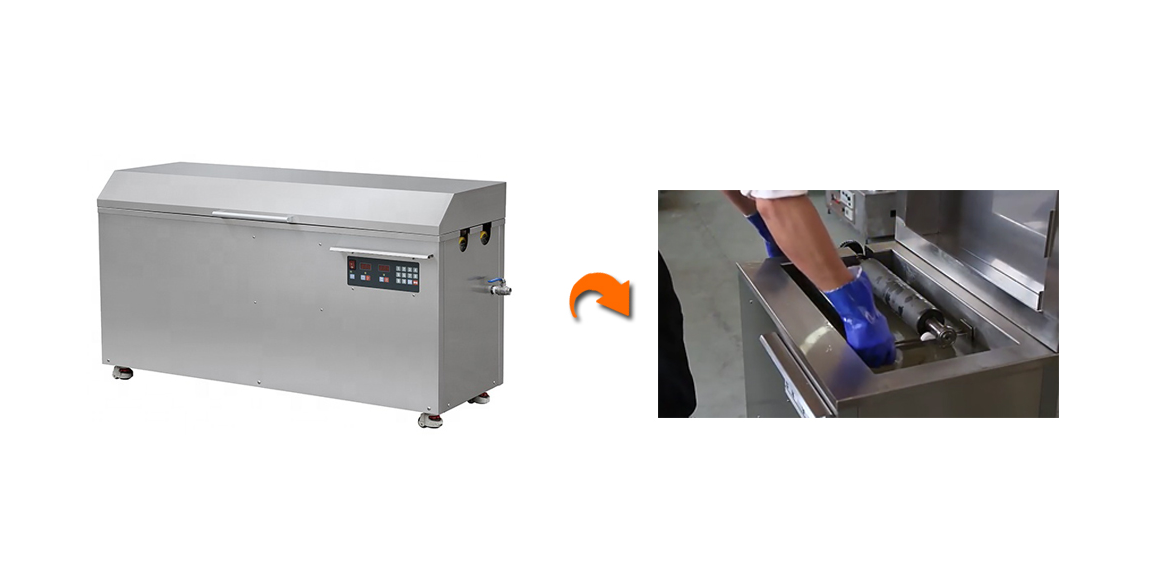
Views: 0 Author: Site Editor Publish Time: 2026-01-22 Origin: Site
Flexo printing machines are widely used in the printing industry due to their versatility, efficiency, and ability to print on a variety of materials. These machines use flexible relief plates, which can print on different substrates like paper, plastic, films, and more. They are commonly employed for producing high-quality labels, flexible packaging, and corrugated boxes. The primary appeal of flexo printing lies in its ability to handle diverse materials, deliver fast production speeds, and produce vibrant, consistent prints. Whether for short or long runs, the flexibility, adaptability, and high productivity make flexo printing an excellent choice for businesses involved in packaging, labels, and various other printing applications.
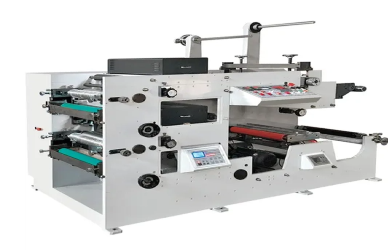
A flexo printing machine is a type of rotary printing press that uses flexible relief plates to transfer ink onto various substrates. The inked plate is mounted on a rotating cylinder, and as the substrate (such as paper, film, or plastic) passes through the machine, the image is transferred from the plate onto the material. The process is ideal for high-speed, high-volume production, particularly in printing labels, packaging, and flexible materials. Key components of a flexo printing machine include:
Anilox Roll: This cylinder controls the amount of ink applied to the printing plate.
Printing Plate: A flexible, raised image surface made of photopolymer or rubber.
Impression Cylinder: A cylinder that applies pressure to transfer the ink from the plate to the substrate.
Doctor Blade: A blade that regulates the ink layer on the anilox roll.
This system allows for efficient printing on a wide variety of materials, providing high-quality results with excellent ink transfer and fast drying times.
Flexo printing differs from other printing methods, such as offset printing and screen printing, in several important ways:
Flexo vs. Offset Printing:
Ink Application: In flexo printing, ink is applied directly to the printing plate and then transferred to the substrate, while in offset printing, ink is first transferred from the plate to a rubber blanket and then to the substrate.
Material Compatibility: Flexo printing is highly versatile, capable of printing on a wide range of materials, including non-porous surfaces like plastic films, which offset printing is not ideal for.
Speed and Efficiency: Flexo printing tends to be faster, making it more suitable for long-run, high-volume jobs.
Flexo vs. Screen Printing:
Plate Flexibility: Flexo printing uses flexible plates that allow for printing on a variety of substrates, while screen printing uses a stiffer mesh screen to transfer ink, which limits its versatility.
Ink Type: Flexo printing can use a variety of inks, including water-based, UV, and solvent-based inks, whereas screen printing primarily uses thicker inks, which can be challenging to work with on fine details or thinner materials.
Application: While screen printing excels at printing on flat surfaces and heavy inks, flexo printing is preferred for packaging, labels, and continuous designs on flexible materials.
Before printing, inspect the machine to ensure all parts are clean and in good condition, especially the anilox roll, printing plates, and doctor blades. Mount the printing plates securely and align them correctly for accurate registration. Select the suitable ink type and mix it thoroughly to ensure stable ink flow.
Adjust the impression pressure to achieve proper ink transfer without damaging the substrate. Set the printing speed according to the material and ink type, and regulate ink volume through the anilox roll to maintain consistent color density.
Start the machine at a low speed and observe the ink transfer and print quality. Perform test prints and fine-tune pressure, speed, and registration until the desired printing result is achieved.
Continuously check print quality during production. If defects such as uneven ink, color misalignment, or poor drying occur, adjust ink viscosity, pressure, or speed promptly to maintain stable and high-quality output.
Problem: The print appears too light or too dark, or there are uneven ink deposits.
Solution:
Check the Anilox Roll: Ensure it’s properly cleaned and free of clogs. If necessary, replace it or adjust its ink volume setting.
Adjust Ink Viscosity: Use a viscosity meter to ensure the ink consistency is correct. Too thick or too thin ink can affect print quality.
Verify Ink Type: Make sure the correct ink type (water-based, UV, etc.) is used for the substrate and conditions.
Problem: Colors don’t match the intended design or vary across the print run.
Solution:
Check Color Calibration: Ensure the printing plates are correctly aligned and the pressure is consistent across color stations.
Use a Densitometer: Measure the color density and adjust the ink flow or pressure to achieve accurate colors.
Ensure Proper Ink Mixing: Sometimes, ink batches can differ. Ensure ink is well-mixed to prevent color variations.
Problem: Colors do not align correctly, leading to blurry or double images.
Solution:
Recheck Plate Setup: Ensure the plates are mounted correctly and securely.
Adjust Pressure: Misalignment can occur if the pressure between the printing plate and the substrate is uneven.
Synchronize the Printing Units: Verify that all print stations are properly synchronized for accurate registration.
Problem: Ink remains wet for too long, causing smudging or tracking.
Solution:
Increase Drying Speed: If using UV or other fast-drying inks, ensure the drying unit is set up correctly, or adjust the press speed to allow adequate drying time.
Adjust the Ink Formula: Some inks require specific drying conditions. Adjusting ink composition may help speed up drying.
Problem: Prints show unwanted smears, ghosting, or blurring of images.
Solution:
Check Press Speed: Too fast or too slow press speeds can lead to defects. Adjust for optimal performance.
Ensure Proper Pressure: Excessive pressure can cause smearing; adjust to balance ink transfer without distortion.
Check the Substrate: Some materials absorb ink more slowly or unevenly, causing smearing. Test with different materials if necessary.
Cleaning:
Clean the printing plates, anilox rolls, and impression cylinders after each run to prevent ink buildup and ensure consistent ink transfer.
Clean the ink tray and chamber to avoid contamination.
Ink Changes:
Replace ink as needed to maintain quality, and monitor ink levels and consistency during operation.
Routine Checks:
Inspect key components like the doctor blade and printing plates for wear. Ensure machine settings (pressure, speed, viscosity) are correct for the next print job.
Regular Inspections:
Inspect anilox rolls, doctor blades, and cylinders for wear. Replace any damaged parts as necessary.
Check the motor and electrical components for corrosion or damage.
Lubrication:
Lubricate moving parts regularly to prevent wear, focusing on bearings and gears.
Calibration and Alignment:
Recalibrate the machine periodically to maintain print quality and alignment. Check the positioning of plates and rollers for even ink distribution.
Environment and Storage:
Keep the machine in a clean, stable environment and protect it from dust when not in use.
Spare Parts:
Keep essential spare parts on hand, such as anilox rolls and printing plates, to minimize downtime.
Flexo printing machines can print on a wide range of materials, including paper, plastic films, metalized films, foil, and non-porous surfaces. This versatility makes them ideal for packaging, labels, and flexible products.
To adjust ink for different prints, you can modify the ink viscosity, ink type (water-based, UV, or solvent-based), and the anilox roll settings to control the ink volume. These adjustments ensure proper color transfer and consistency, depending on the material and print job.
Common maintenance tasks include cleaning the printing plates, anilox rolls, and ink chambers after each run, checking for wear on key components like doctor blades and cylinders, and lubricating moving parts to ensure smooth operation.
To prevent color registration issues, ensure proper alignment of the printing plates, maintain consistent pressure between the plate and substrate, and check synchronization of all printing stations. Regular calibration and fine-tuning of the machine can also help avoid misalignment.
Efficiently and accurately operating a flexo printing machine involves careful preparation, precise setting adjustments, and ongoing monitoring throughout the printing process. By ensuring that equipment is properly inspected and set up, adjusting key parameters like pressure, speed, and ink concentration, and regularly calibrating the machine, you can achieve high-quality results. Consistently monitoring the printing process allows for quick troubleshooting of any defects. Additionally, implementing daily and long-term maintenance practices, such as cleaning, ink changes, and regular inspections, is crucial to keeping the machine in optimal condition and extending its lifespan. Following these steps will help you maintain both the efficiency and accuracy of your flexo printing operations.